Bozzetto
[3D sculpting in your browser · web app]
If you can shape clay, you can sculpt in 3D.
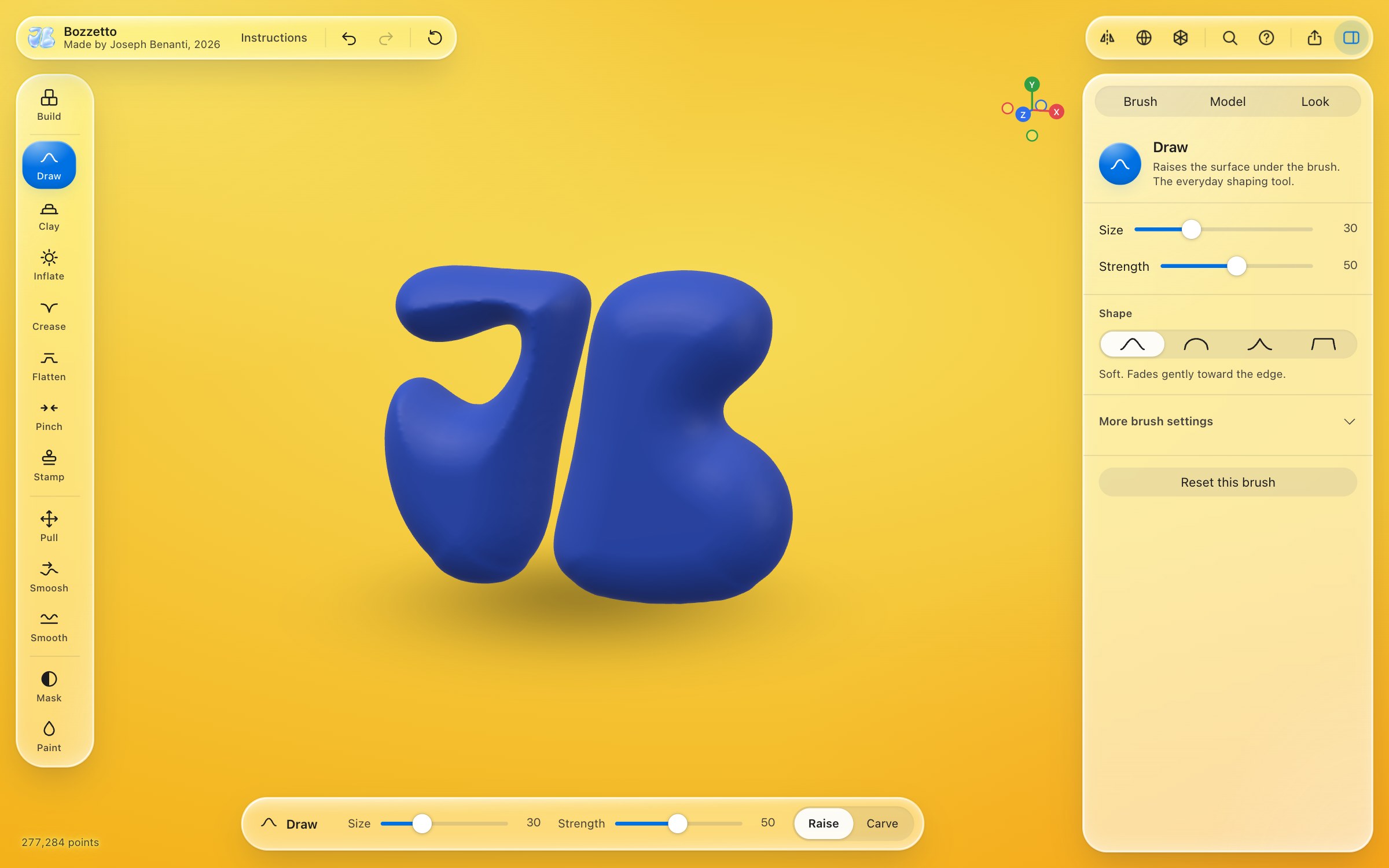
Bozzetto is a sculpting studio that opens in a browser tab. Stack a rough shape from blocks, then push, pull, pinch and smooth it as digital clay and save it for 3D printing or CAD with the full version. No download, no account, and nothing you make ever leaves your device.
Coming soon
Three promises
-
Nothing to install
It is a web page that runs in a desktop browser tab, with nothing to set up. Close the tab and come back later: your sculpt is where you left it.
-
Nothing to learn first
A short welcome shows how it works, and Instructions, beside the name, has the rest. Thirteen tools with plain names, and each one tells you what it does when you rest the pointer on it. Size and strength are always in reach. Everything else is one search away: press Space and type what you want.
-
Nothing collected
No account, no cookies, no analytics. Once Bozzetto has loaded it never contacts a server again. Your work is saved in your own browser and nowhere else.
Made for hands, not manuals
Most 3D software asks you to learn it before it lets you make anything. Bozzetto starts from what your hands already know. Stack a few blocks to rough out the shape, the way you would with toy bricks. Then it is clay. Draw raises the surface. Clay builds up in strips. Smoosh pushes it along like a thumb. Pull grabs a part, or drags out a limb. Pinch sharpens an edge. Smooth relaxes it. Hold Shift to smooth with any tool, hold Option to reverse it. The serious controls are all there, one tab away, and they stay out of the way until you want them.
What is inside
-
Start from blocks
Click to stack cubes into a rough shape before you sculpt, mirrored or repeated around an axis if you like. Each block is a real size that you choose, an inch, a foot, a millimetre or a centimetre, so the model is the right size from the first click. Select a group of blocks to move it, copy it, delete it, or mirror it across any face you click. A slider rounds the corners off as much as you like, live, and one press turns the result into clay. Later you can go back, set more blocks onto the sculpt and join them, with every edit kept.
-
Or spin it on the lathe
Draw half an outline and it turns around an axis into a vase, a bowl, a cup, a ring or a box, at a size you type in. Drag the points to reshape it, make it hollow with a wall of a real thickness, give it flat sides, or turn it only part of the way round. A lathe shape can also be added onto your blocks or onto a sculpt: click where it should go and it locks there, or slide it along one axis at a time, then join it, with a Blend setting for how softly the two meet.
-
Twelve brushes
Draw, Clay, Inflate, Crease, Flatten, Pinch, Stamp, Pull, Smoosh, Smooth, Mask and Paint. All but Stamp have four brush shapes, stroke spacing, a steady hand setting for shaky lines, and pen pressure.
-
Stamp a shape
Press a cylinder, a box, a dome, a cone or your own SVG into the clay or raise it out of it. Click to stamp, or drag out from a point to size it and turn it, and set how softly its edges run into the surface. Switch it to Brush and a drag lays a row of them along your stroke, as close together or as far apart as you like.
-
Your own logo, raised or cut in
Open an SVG, a logo or lettering, and extrude it into a solid with rounded edges, raise it out of your sculpt or cut it in, with crisp edges even on fine lettering. It comes in at the size the file gives, and the white parts of a logo stay cut out, the way it looks on screen. Lay it on as you see it, or wrap it round a vase or a cup at its true size, with a soft fillet where it meets the surface.
-
Work from a picture
Stand a sketch or a photo on any of six sides of the model, front, back, left, right, top and bottom. Each one shows only while you look from its side, so they never get in each other’s way. Turn on the grid and the flat view and you can trace a design at its real size.
-
Symmetry in every direction
Mirror across any axis, or repeat each stroke up to twelve times around one, like work on a potter’s wheel. Combine them for petals, crowns and patterns.
-
Whole model tools
Swell or thin everything with one slider, smooth every bump at once, and press Reset all when you want to start over. It asks first, and Undo takes it back, as it does every one of these.
-
Remesh
One press rebuilds the whole surface with even triangles and fuses overlapping parts, so you can keep pulling the form without it tearing.
-
Materials you can tune
Clay, porcelain, red wax, graphite, chrome, blue glass, plastic, shiny plastic, aluminium, steel, stainless steel, titanium, bronze, brass, marble and stone, each adjustable for colour, opacity, sheen and metal.
-
A room of your own colour
Bozzetto opens on a yellow background with the model in the colour opposite it, a deep blue. One click picks another room, coral, mint, sky, paper or night, or any colour you like, and the model follows to its opposite, or give the model a colour of your own.
-
Push and pull
Drag a face of your blocks out and the whole flat layer under it grows a block at a time; drag it back and it shrinks, mirrored if the mirror is on.
-
Start from an example
Five finished builds open in one click, to look around, take apart and make your own.
-
Check before you print
The export sheet says whether the model fits your printer, whether it is closed all round, and how thick its thinnest wall is, so a slicer has no surprises.
-
Show it off
One press saves a six second clip of your model turning in its room, ready to share.
-
Real size
Build in inches, feet, millimetres or centimetres, or set the longest side in millimetres, and every 3D file in the full version comes out at that size. The Model tab tells you whether the shape is watertight before you send it to a printer.
-
Files your tools read, in your units
Save in millimetres, centimetres, inches or feet, whatever you built in. STL and 3MF for printing. OBJ, PLY and GLB for Blender, the web and AR. STEP for CAD such as Fusion. All six are in the full version. PNG for a picture. Import OBJ and STL to keep working on something you already have.
-
A safety net
Undo and redo for every stroke, and an autosave that brings your sculpt back when you reopen the page.
-
Save it to work on later
One press keeps the whole piece in one file: the clay, its paint, the blocks or the lathe shape, the material, the mirror settings and your reference pictures. Open it another day, on another computer, or in the full version to export it.
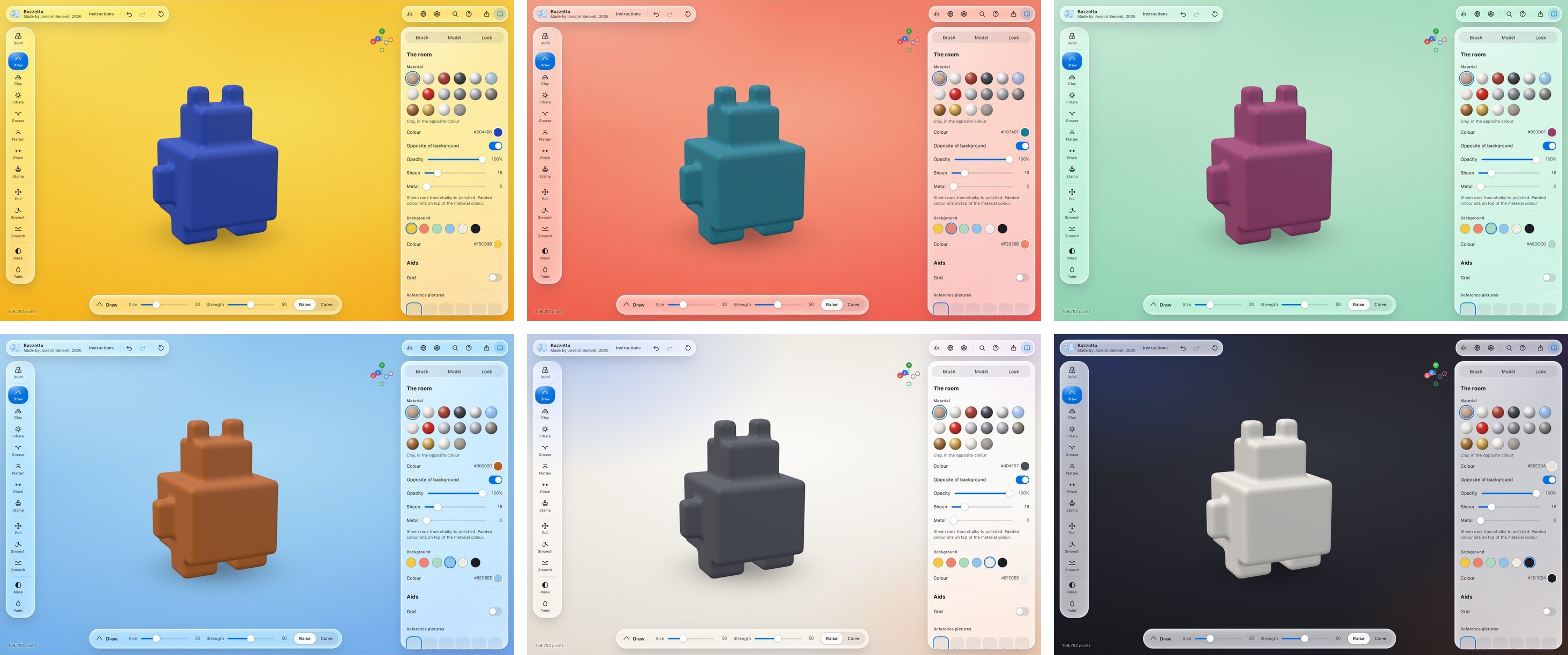
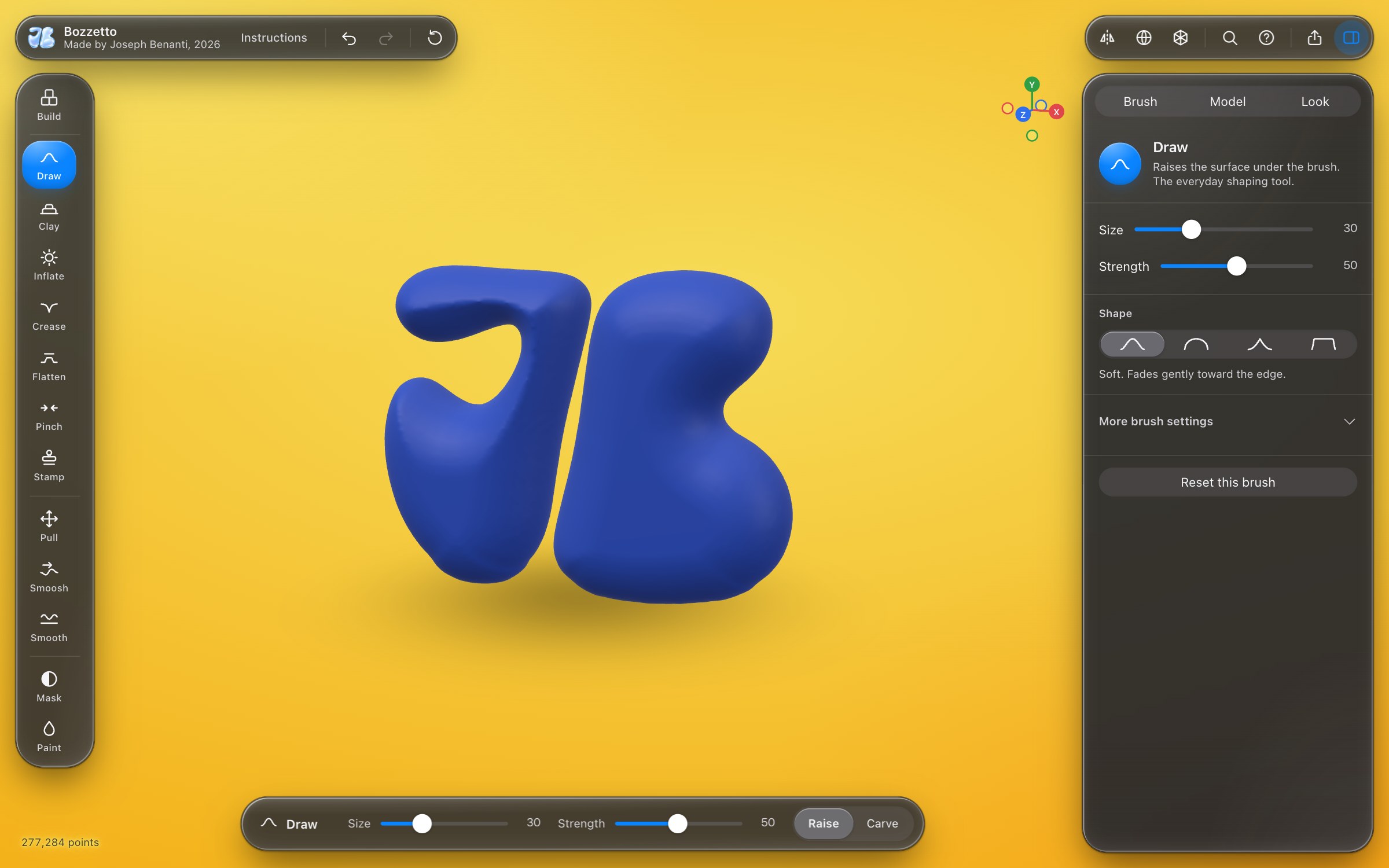
Every screenshot on this page shows the free version of Bozzetto 0.19.1, a build that is not public yet. It is still changing.
Who it is for

Sculptors, potters, product designers, toy makers, students, and anyone who has wanted to make something in 3D and bounced off the software.
Limits and privacy
Where it stops, for now
Bozzetto is new. Today it works on one object at a time, and in tests so far it tops out at about three million triangles. It is not a replacement for ZBrush or Blender, and it does not try to be. It is the easiest way to get a form out of your head and into a file.
Privacy, in plain words
Bozzetto has no account, sets no cookies and runs no analytics. After Bozzetto loads it makes no network requests. Your sculpt is kept in your browser’s own storage on your device, and clearing your browser data removes it. Save it to work on later, or export it, when you want to keep something for good. Those files are saved straight to your device.

Bozzetto is not open yet.
It is still being shaped, and it will be tried by hand on real computers before it opens. Leave your email to hear when it opens. This is the studio’s new tools list: one email each time a new tool comes out, and nothing else.
Questions and answers
- Do I need to install anything?
- No. It is made for a current desktop browser. Nothing is added to your computer.
- Does it cost anything?
- A free version will run here on the site, with every tool, and save pictures and work files. The full version, with every 3D file and the offline file, will be a one time purchase, and work files saved in the free version open in it, so you can carry straight on. The price is not set yet.
- Can I 3D print what I make?
- Yes, with the full version. Export STL or 3MF. Both come out at the size you set, in millimetres unless you choose another unit, and the export sheet checks first that it fits your printer, is closed all round and has no wall too thin to print.
- Can I open it in Fusion, Rhino or Blender?
- Yes, with the full version. STEP for CAD, as a faceted solid. OBJ or GLB for Blender, with painted colour and the material.
- Where is my work saved?
- In your browser, on your device. It is still there when you come back on the same browser. To keep it for good or move it to another computer, press Save to work on later: it makes one file you can open again in the free version or the full version.
- Does it work with a pen tablet?
- Pen pressure is built in: it can drive strength, size or both.
- Who makes it?
- Joseph Benanti, an industrial designer and fabricator in Brooklyn. Benanti Designs.
- Questions?
- Write to SUPPORT@BENANTIDESIGNS.COM, or see SUPPORT.